If the probe is not plugged properly, the following display will appear:
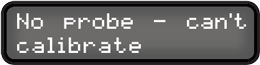
Plug the EC probe before starting the calibration process, verify that the probe is well plugged to the Egrowr and functions properly.
To enter the calibration menu of the EC probe, press continuously for a few seconds on the key.
If the probe is not plugged properly, the following display will appear:
place the probe in a solution with a known conductivity and which lies in the measuring range of the probe, then press on the key to start.
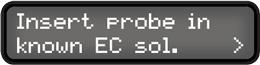
Place the EC probe at medium height within the solution. The metal electrodes should not be closer than 2cm of the bottom or the wall of the tank, otherwise the calibration would be flawed.
The Egrowr will display the following screen :
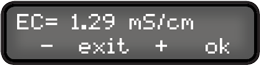
In order to adjust the conductivity value press on the key and keys (+ and -)
Once the conductivity value displayed is equal to the value of the calibration solution, press on the key to save the configuration.
The Egrowr will display the following screen :
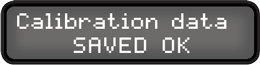
To cancel the calibration process, press again on